Find the leak in your best setup
Reports breaks down every trade by setup, time of day and the reasons you tagged, so you can see exactly where a good setup goes wrong.
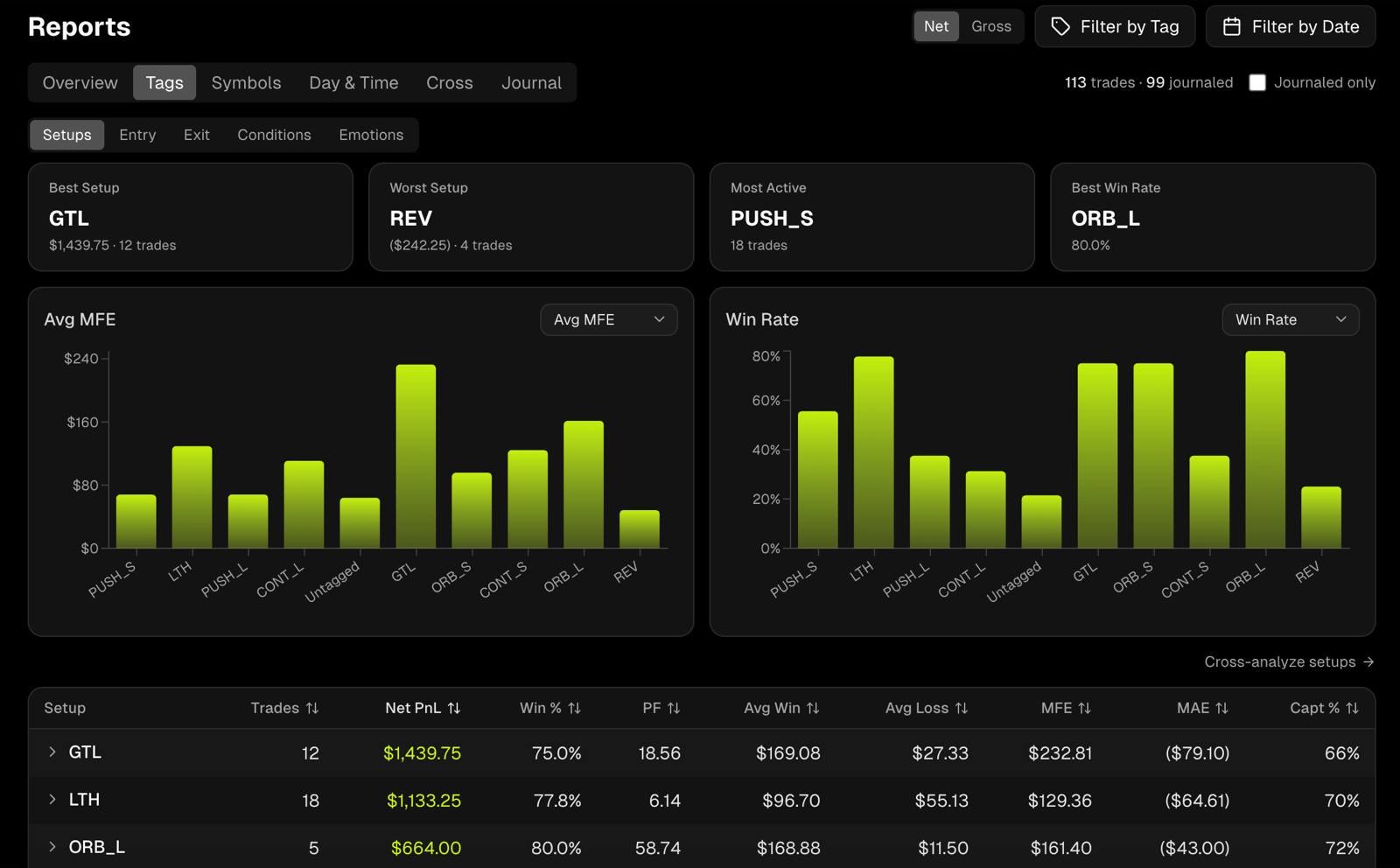
Rank everything you trade
Rank setups, symbols, days, sessions, market conditions and even how you felt. Filter to a tag like Calm and see if it's your setups that need work, or your state of mind.
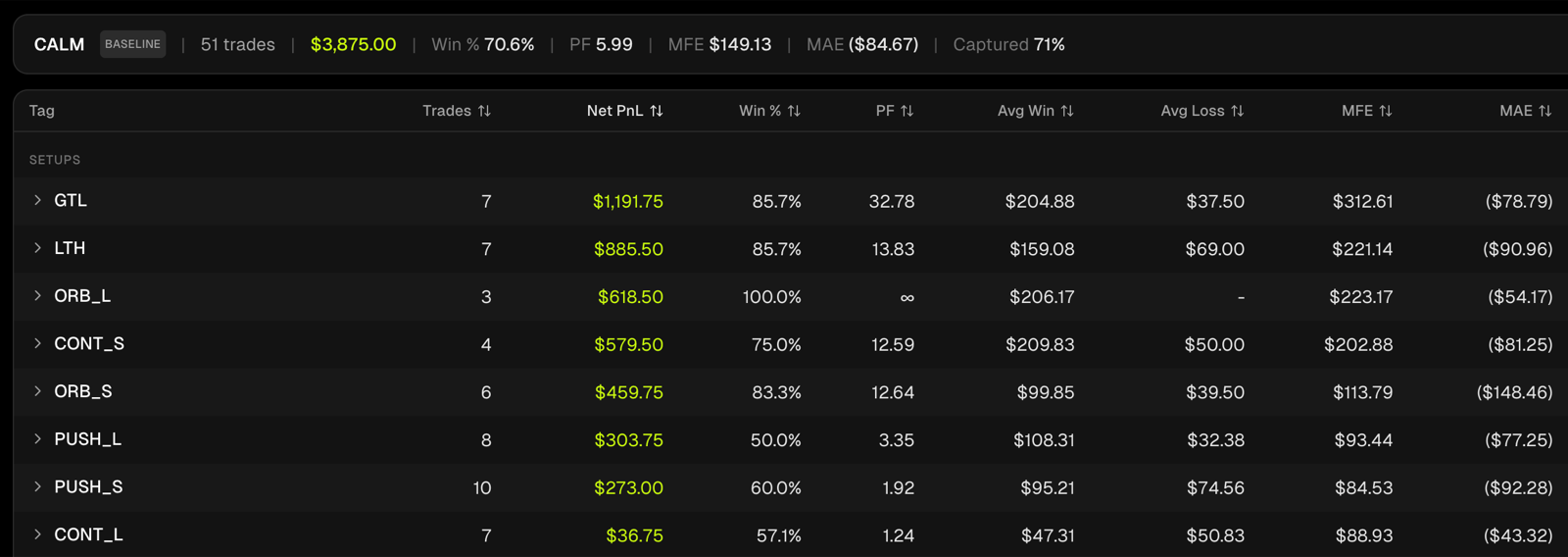
Do you cut winners and sit in losers?
Hold times on winners and losers, PnL by hour and session, and about 40 stats across trades, days, execution and risk. If your edge only shows up in the first hour, you'll know.
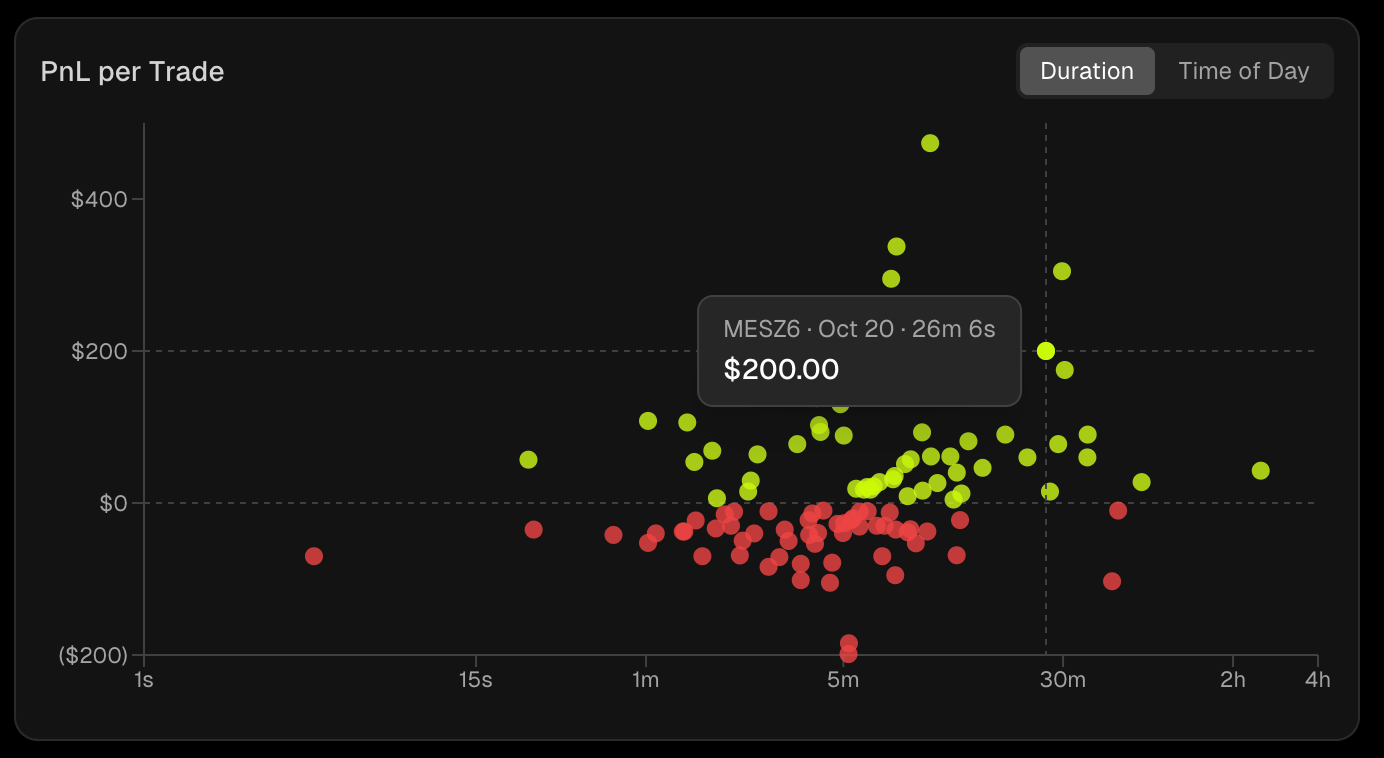
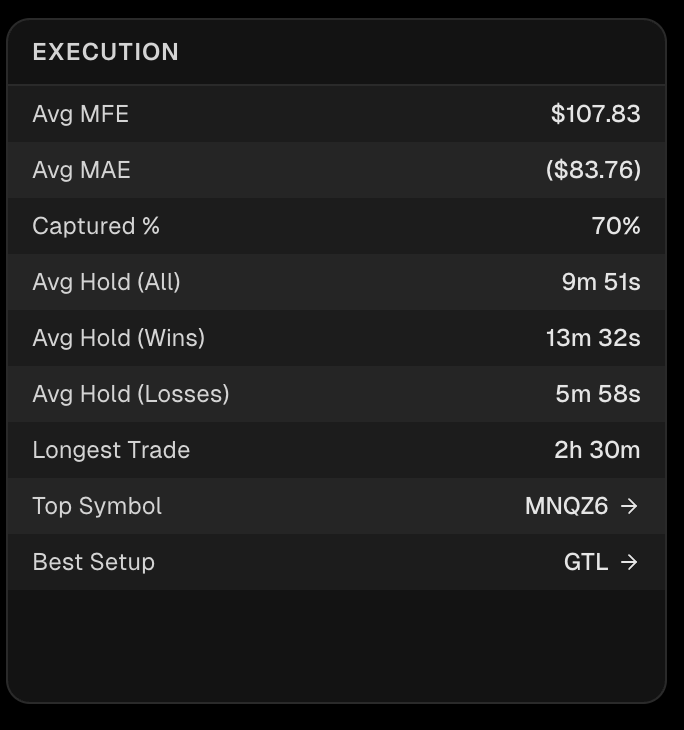
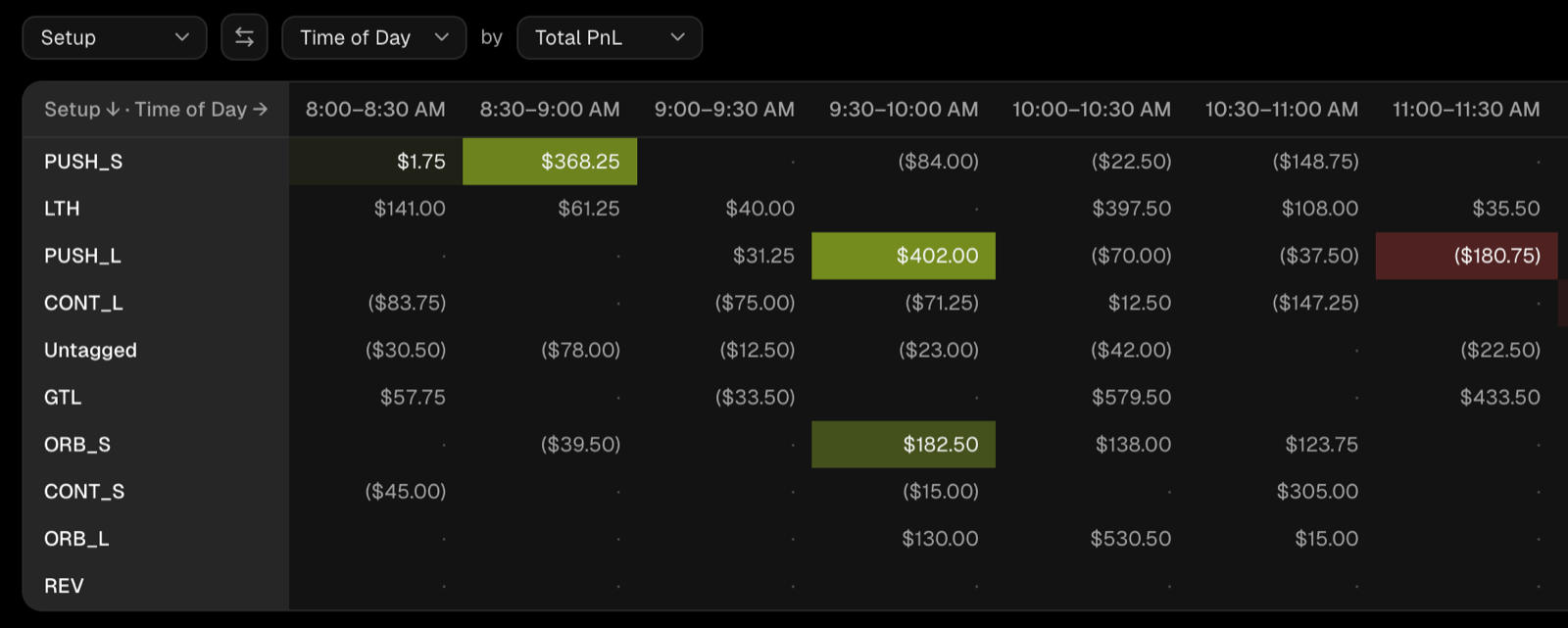
Is it the setup, or when you trade it?
Cross any two things, like setup and time of day. A setup that loses overall can be your best trade at the open, and your best setup can bleed after lunch. Small samples stay grey, so a few lucky trades can't pass for an edge.
Frequently asked questions
Do I need to tag my trades first?+
No. Reports runs on every trade the moment it syncs. Tags make it sharper: they unlock the Tags breakdown and let you cross a setup with market conditions or how you felt.
Can I see one account, or all of them together?+
Both. Pick one account or several from the account selector, and use Filter by Date to narrow everything to a period. Every chart and stat updates together.
Are the numbers net of commissions?+
Yes. Net is the default and takes your commissions out of every number. Switch to Gross to see the raw PnL your broker reported. Fees always show as their own stat.
Can I see everything in R?+
Yes. Switch to R in the top bar and every number on the page reads in R. See Risk & R multiples.
How do you handle small samples?+
In Cross analysis, a cell needs at least three trades to get a color. Smaller samples stay grey, and you can hover any cell to see its trade count.
Can I leave test trades out of my stats?+
Yes. Hide a trade and it drops out of every number in Tanto without being deleted. Unhide it anytime.
Can I ask Claude or ChatGPT about my reports?+
Yes. Connect Tanto to Claude or ChatGPT and ask things like "which setup makes me the most money this quarter?".
Know which setups to keep trading
Sync your trades and Reports breaks them down by setup, symbol and time of day. No spreadsheets.